SpotSpot
Role: Product Designer
Duration: 120 hours
Skills:
User Journey Map
A/B Testing
User Research
UI Design
Branding
Status:
In Development
Team:
Product Designer - Blake Lemons
Product Strategist - Jess Eng
Users:
Children (Ages 6-12) & Parents
The Setup:
Problem: Children lack digital spaces for creative collaboration with distant friends, forcing them into in-person playdates or adult-oriented tools.
Eloise
Age 9
Picture this: two kids sprawl across a living room floor, sketchbooks open, colored pencils scattered. Trading drawings and story ideas, they weave their imaginations together until it's hard to tell where one child's work ends and the other's begins.
But what happens when that friend moves across town? Across the world?
Market Gap: Kids struggle with adult tools like Zoom that don't support creative play. The market offers classroom tools and professional whiteboards—but nothing built for kids to collaborate on their own terms.
Define:
How Might We foster collaborative creative experiences for kids and their distant friends while reassuring parents about safety and well-being?
Through interviews with five children (ages 6-12) and their parents, four critical insights emerged:
Visibility Crisis:
Kids wanted to see their friend's creative process as it happens, not just the final result.
Multi-Space:
Children enjoy having their own creative spot alongside a shared area.
Safety Imperative:
Tablet First:
Children primarily used tablets, requiring interfaces designed for finger or stylus drawing.
Key Insight: Kids naturally understand spatial concepts of mine, theirs, ours.
Impact: This became the foundation for everything, from the branding to the UI.
• My Spot: Personal creative space
• Their Spot: View-only window into friend's space
• Our Spot: Shared collaboration canvas
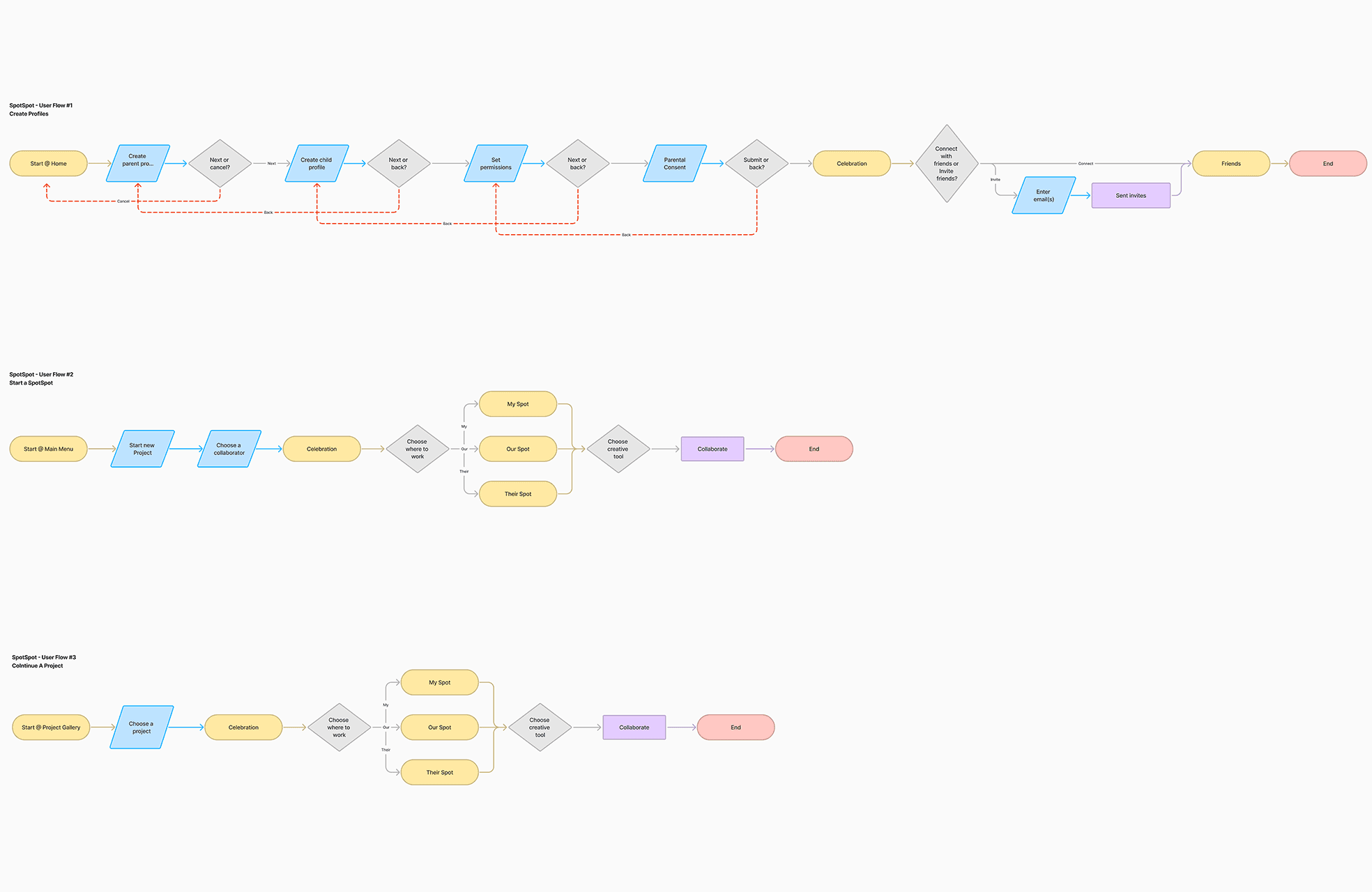
To validate this concept, I mapped three critical user journeys:
The Guardian Begins
User Story: As a parent of a creative child, I want to create secure accounts for my family and connect with trusted friends, so that my child can safely collaborate on creative projects with friends and family members.
The Collab Starter
User Story: As a child user, I want to start a new creative project space, so that I can begin working on my ideas and invite my friend to create together.
The Team Returns
User Story: As a child user, I want to rejoin a project, so that I can continue a creative project with my friend.
Lo-Fis & Journey Mapping:
Understanding if kids could navigate five spatial spots wasn't enough. I needed to map their complete emotional journey to reveal moments of delight, confusion, and discovery that functional testing alone would miss.
I tested hand-drawn wireframes with six users, revealing both validation and a critical oversight.
Meanwhile, I applied cinematic storyboarding techniques from my animation background to capture both the child and parent experience.



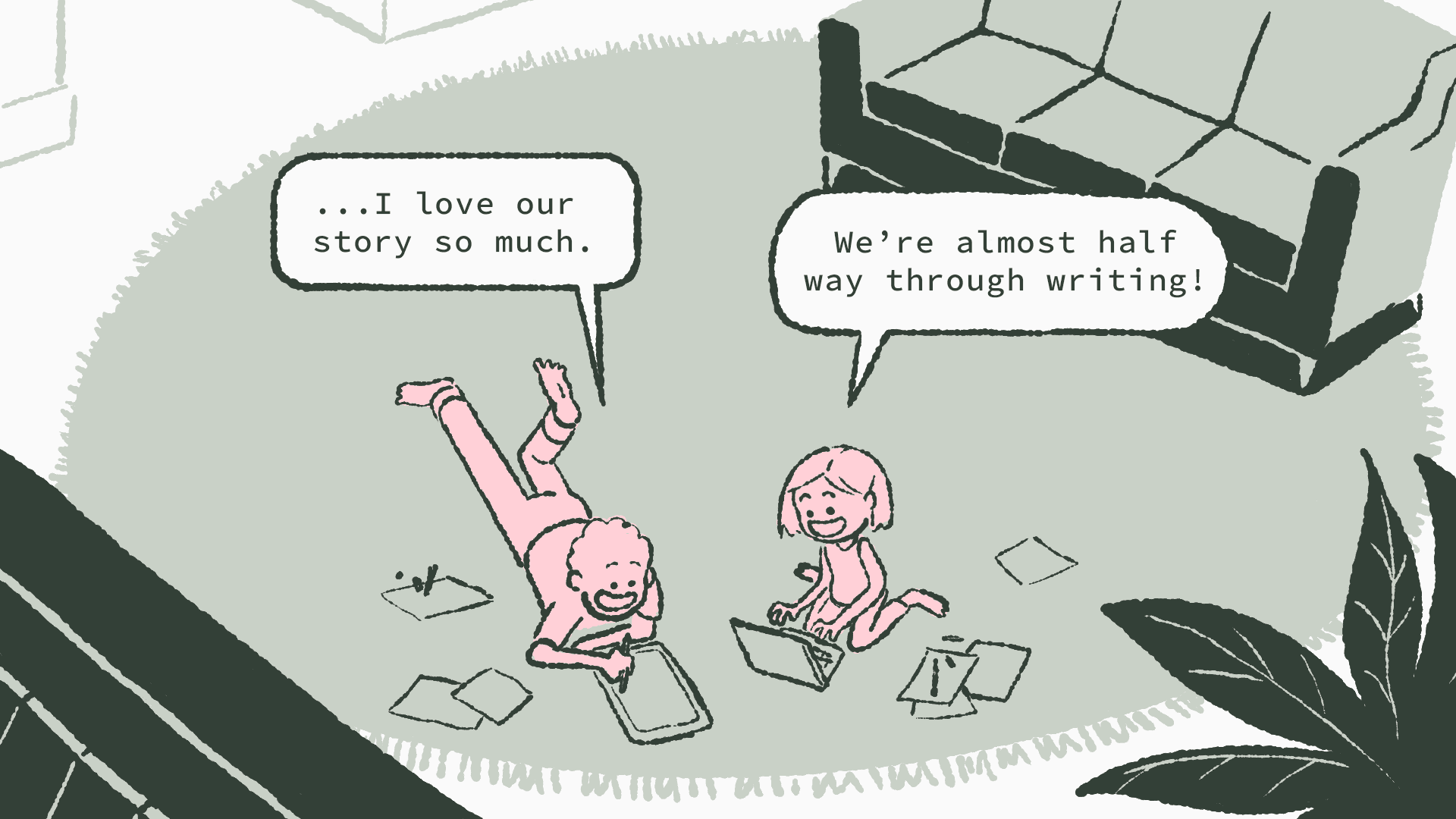
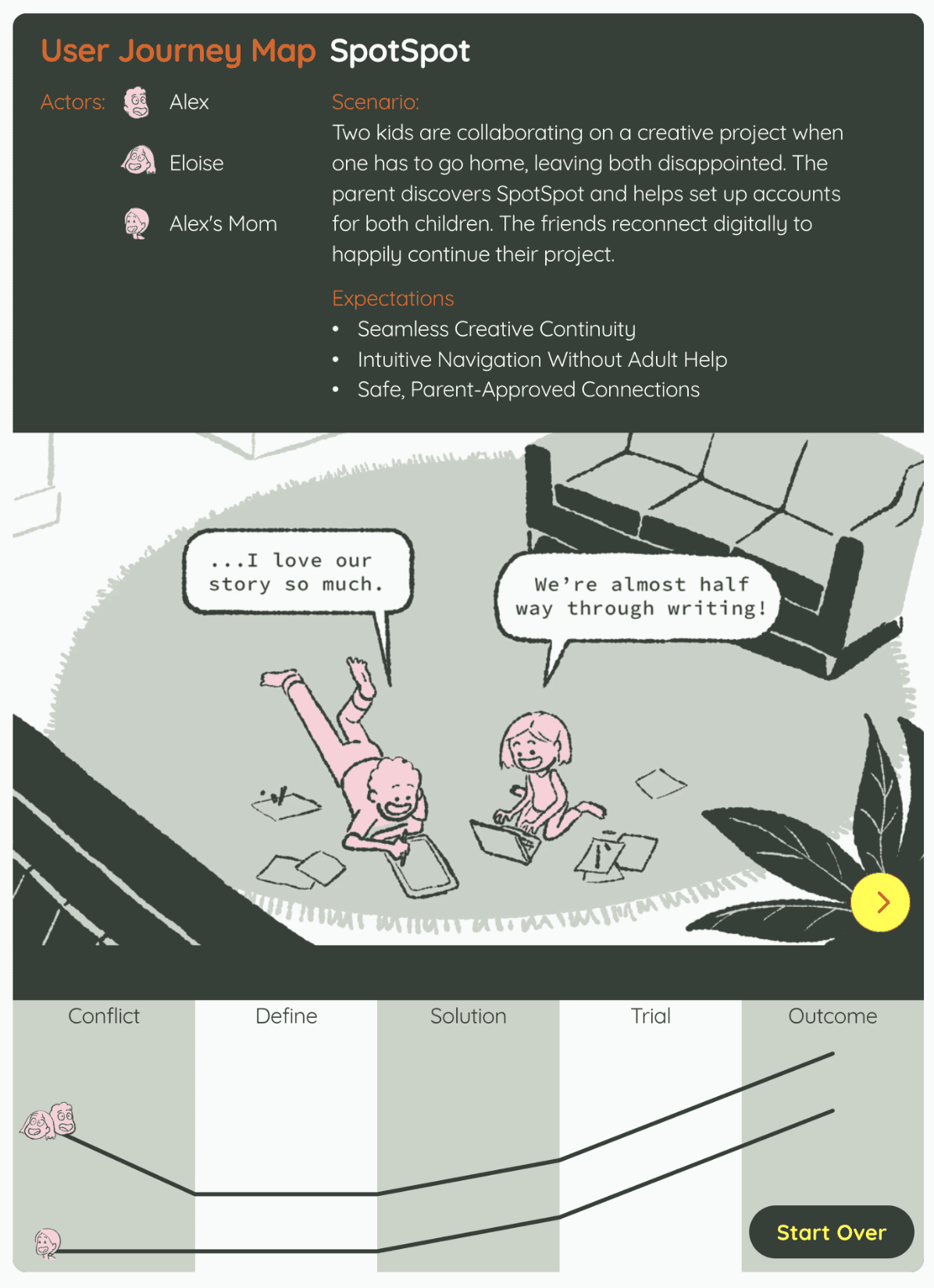
Combining the feedback from these two methodologies revealed both validation and a critical oversight.
Validation: Children immediately grasped the "my spot, their spot, our spot" framework.
Critical Issue: However, navigation between spots confused users, with only
1 out of 6 able to navigate without assistance.
Pivot: This feedback forced a fundamental rethink: the concept was solid, but the execution needed to feel as intuitive as physical collaboration.
Visual Identity:
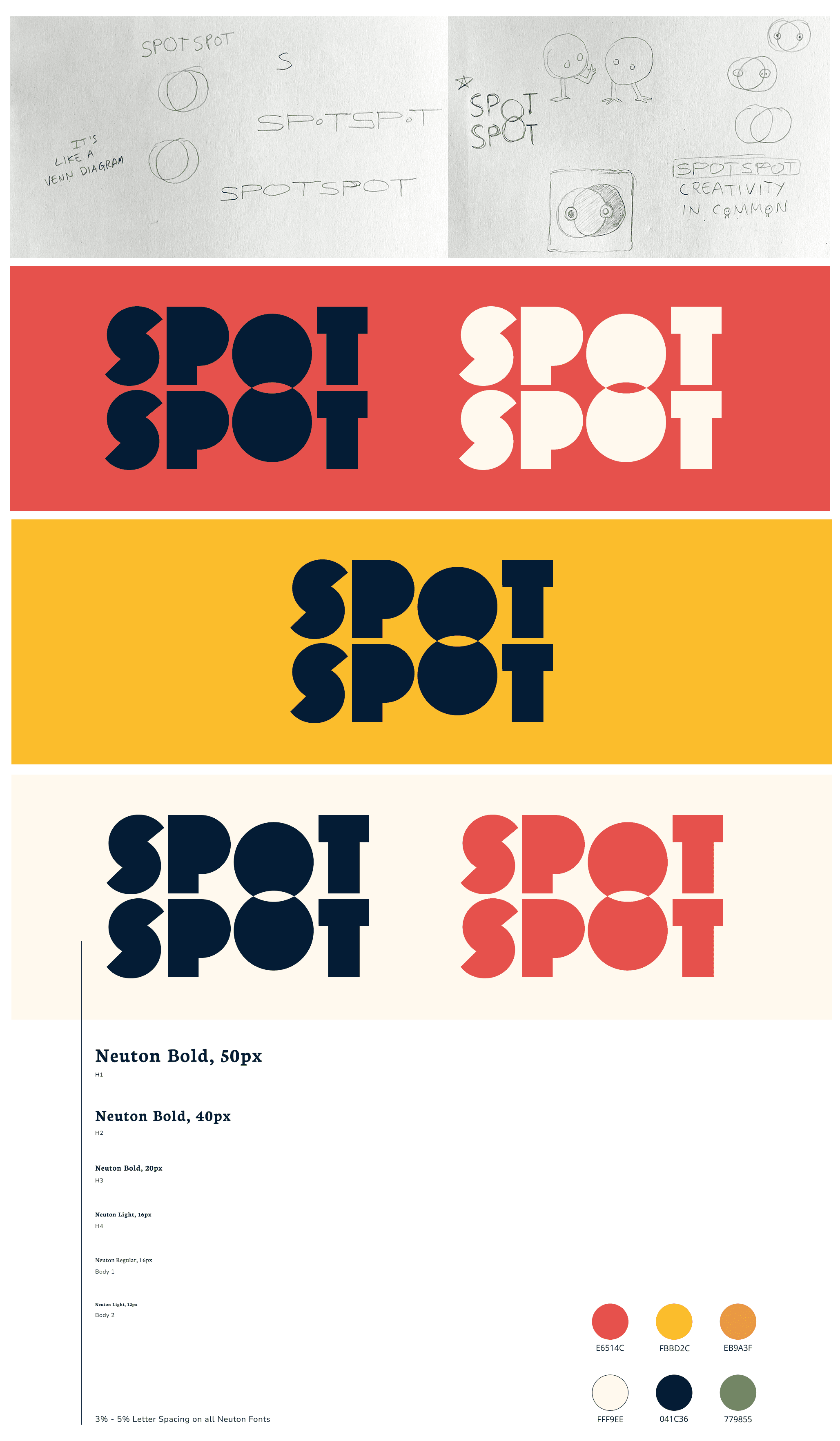
Designing for kids without designing down to kids. Creating a visual system that appeals to ages 6-12 while earning parent trust and allowing for future scaling beyond just kids required careful balance.
Logo Design
Tactile Design Elements
To recreate the safety of that living room creative zone, I decided design elements should feel tactile—like the texture of paper or carpet users would rest their arms on while creating together.
I explored Figma's new Draw features to create a design aesthetic that feels tactile, ultimately landing on using the "dissolve" effect to accomplish border lines that gave users a visual they could almost touch.
I applied the same tactile philosophy to the app's background using Figma's 'noise' effect, creating a subtle texture that mimicked paper or canvas. This gave the entire interface a warm, organic feel that distinguished SpotSpot from sterile digital environments children typically encounter.
User research and user journey mapping unlocked an understanding of kids 6-12 that resonated with my past career experience, allowing me empathize more deeply and design visuals that resonated.
My experience in children's entertainment became crucial. SpotSpot got the full Hollywood makeover.
A/B Testing
The user journey mapping informed an exciting interface design, but initial feedback from a target user proved this product required in-depth, comparative testing. I developed two competing approaches:
MVP1: The Circle Vision My creative instinct led me to use circles for separate Spots, creating a more organic, playful feel that matched my animation aesthetic.
MVP2: The Bento Box Approach Soft-cornered rectangles in a traditional grid layout that maximized usable space and felt familiar to users.
The results were decisive: users preferred MVP2's rectangular approach by a significant margin. The microinteractions brought fun without sacrificing usability.
This taught me that sometimes creative vision must bow to user needs—the interface should disappear so the creativity can shine.
High Fidelity Designs
Building for children required addressing parental concerns that don't exist in adult-focused design.
4.6 / 5 parents rated in-app security of high importance.
The Design Challenge: How do you create thorough safety without killing the user experience?
Streamlined Onboarding: The account setup process became a balance of thoroughness and simplicity. Parents first create & confirm their account, then set up their child's profile.
Transparent Monitoring: Rather than constant surveillance, parents receive session summaries via email after each collaboration.
Controlled Connections: The closed network solved the friend connection challenge elegantly: children can only connect with accounts that went through the parent-verified process.
Technical Constraints as Design Drivers: The five-spot layout emerged from technical limitations. Running three simultaneous whiteboards required careful resource management.
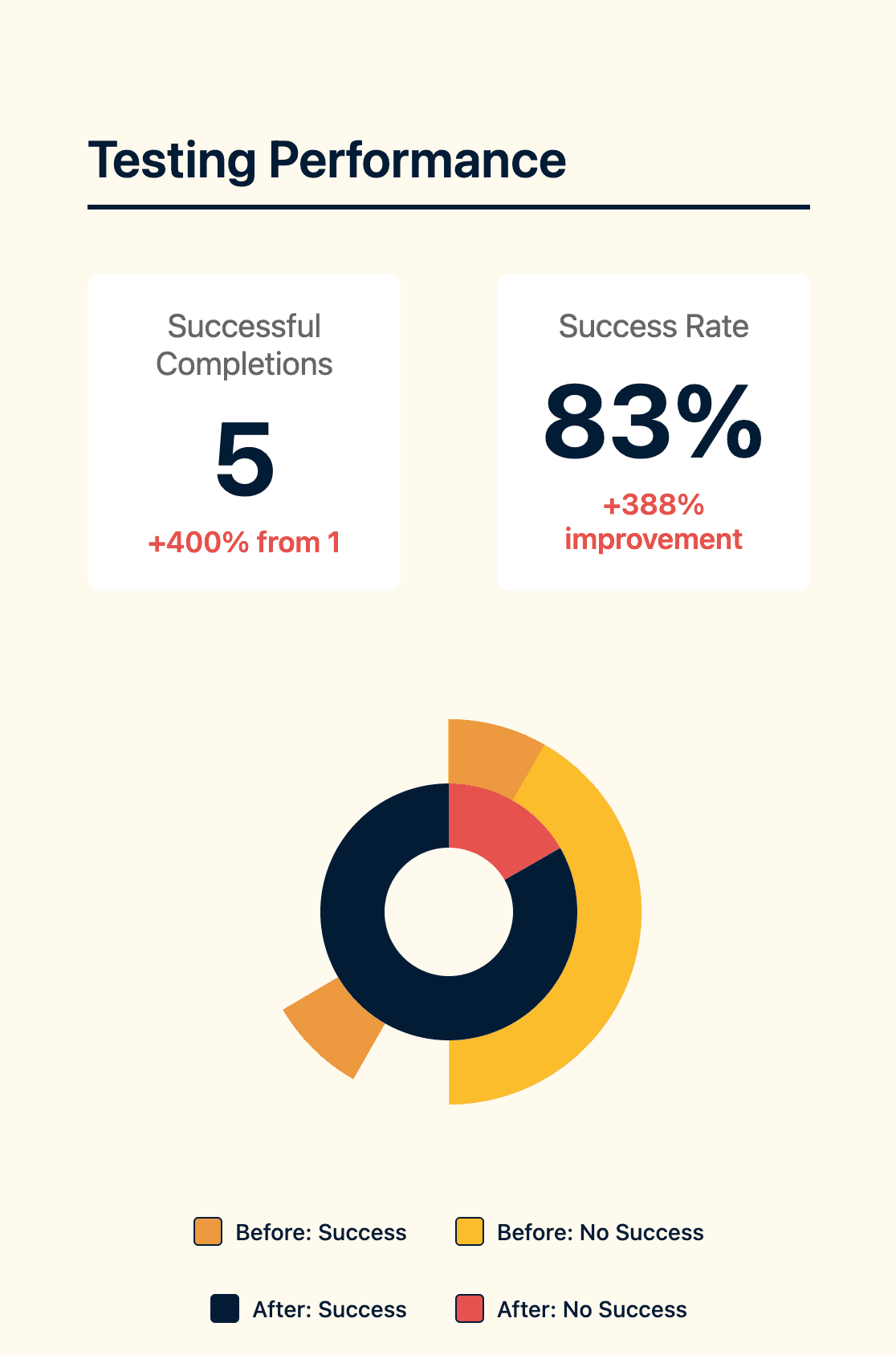
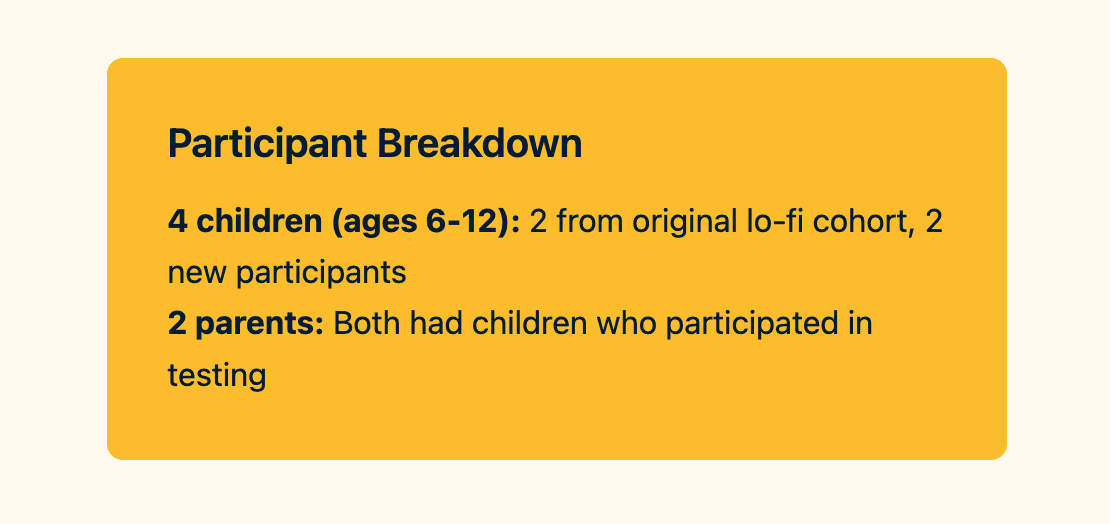
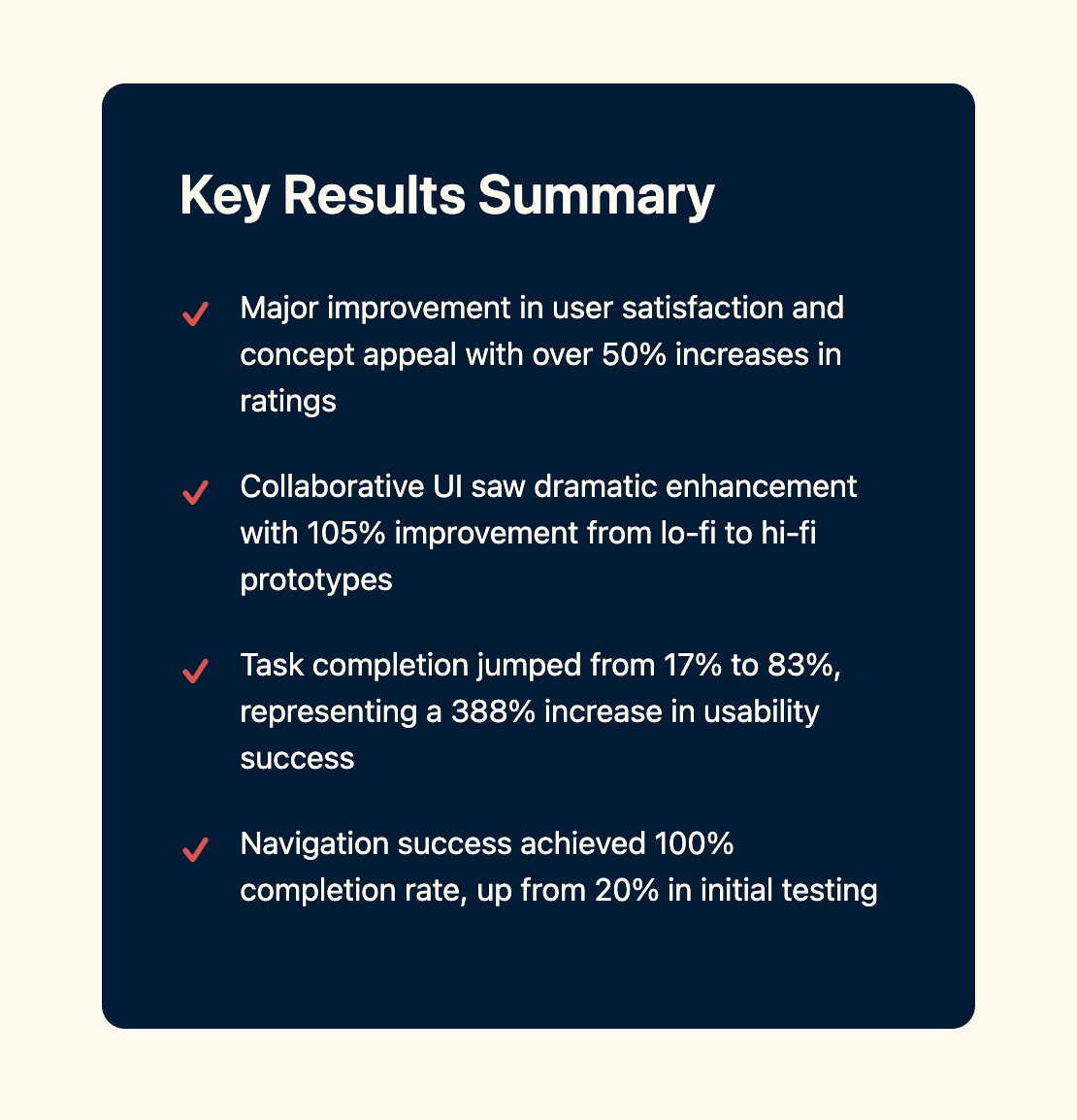
This approach satisfied both user groups: kids got creative freedom, parents got peace of mind. The polished designs underwent rigorous testing with 6 users (4 children, 2 parents), revealing dramatic improvements from the lo-fi testing.
4.5/5
We knew that the process had led us to success when we heard from Armand just a few weeks later:
The Resolution:
Kids + Engagement = Success
Unlike business apps measured in conversions, SpotSpot's success lived in engagement and delight, metrics that actually mattered to families.
Kids aren't small adults: Their mental models, attention spans, and interaction patterns require fundamentally different design approaches.
Collaboration ≠ Individual × 2: Successful individual interfaces don't automatically translate to multiplayer collaborative spaces.
Safety enable creativity: Instead of constraining design, thoughtful safety features gave parents confidence to let children explore freely.
Scaling SpotSpot
Looking ahead, the next critical feature is developing publish/present/share functionality that emerged from user journey mapping. Children naturally want to showcase their collaborative creations through digital galleries, printable documents, or presentations to extended family.
The challenge: enabling sharing and presentation without transforming SpotSpot into social media. The solution: maintaining the closed-network approach while adding controlled sharing mechanisms - digital portfolios that parents approve, presentation modes for family video calls, and print-friendly formats for physical sharing.
Beyond content sharing, SpotSpot's next evolution involves cross-platform compatibility. Expanding to phone and laptop versions would unlock new use cases.